Frequently Asked Questions
How does the 7-day free trial work?
+
Get full access to Vector Platinum for 7 days completely free. No credit card required. After the trial, you'll be charged $30/month. Cancel anytime during the trial with no charge.
What platform does Vector Platinum work on?
+
Vector Platinum is built for TradingView using PineScript v6. You need an active TradingView account (free or paid) to use the strategy.
What markets and timeframes work best?
+
Optimized for intraday futures trading (ES, MES, NQ, MNQ) on 5-minute timeframes. Also works on forex, crypto, and stocks. The 15-minute timeframe works well for swing trading.
Can I automate this with my broker?
+
Yes! Vector Platinum includes webhook-ready JSON alert templates for broker integration. You can configure fully automated entry/exit execution.
What is Out-of-Sample validation?
+
OOS testing splits your data into training and testing periods. You optimize on training data, then validate on hold-out periods the strategy has never seen. This reveals if your settings are robust or just curve-fitted.
Can I cancel anytime?
+
Yes! Cancel anytime with no penalties or hidden fees. If you cancel during your free trial, you won't be charged.
Do I need a paid TradingView subscription?
+
A TradingView Premium or higher subscription is recommended for accurate backtesting on 20,000 bars of data. Free accounts are limited to 10,000 bars which can significantly affect backtest results and strategy optimization.
Why isn't my strategy showing any trades?
+
Your filter settings may be too strict for current market conditions, preventing signals from being generated. Try reducing confluence filter requirements, loosening trigger sensitivity settings, or disabling regime filters to allow more trades through. Also verify your position sizing is set correctly in Strategy Properties.
What's the difference between training and validation periods?
+
Training periods are used to optimize your strategy settings, while validation (out-of-sample) periods test those settings on data the strategy has never seen. This reveals whether your settings are robust or just curve-fitted to historical data. Vector Platinum supports both repeating patterns and single date cutoff validation modes.
Can I use this on stocks and crypto, or just futures?
+
Vector Platinum works across all asset classes including stocks, crypto, forex, and futures. While optimized for intraday futures trading on 5-minute charts, the strategy adapts to different instruments by adjusting ATR-based parameters and volatility thresholds automatically.
How do I know which confluence filters to enable?
+
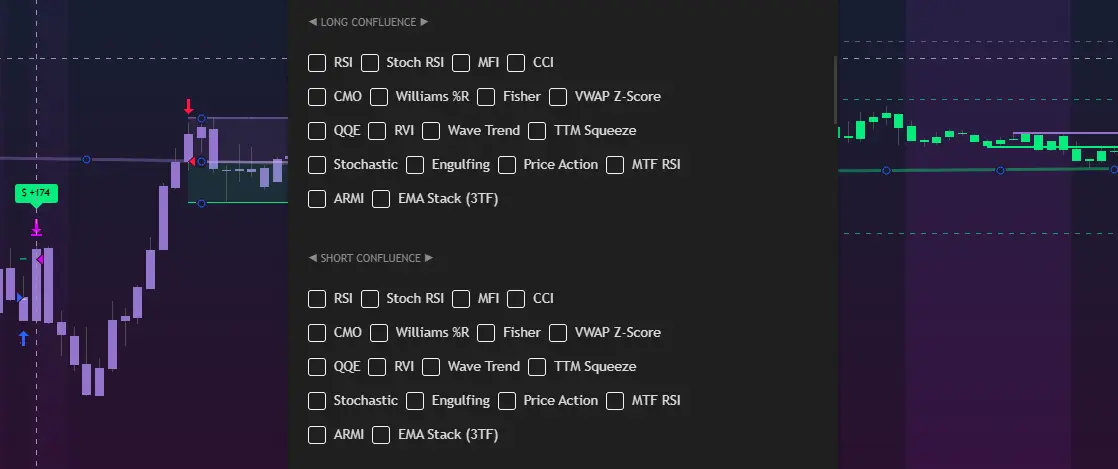
Start with 2-3 filters that align with your market bias—momentum oscillators (RSI, Stochastic) for reversal trading, or trend indicators (MACD, ZLEMA) for trend following. Use Walk Forward Analysis to test different combinations on out-of-sample data. More filters aren't always better; they reduce trade frequency and can cause over-optimization.
Does Vector Platinum repaint signals?
+
No. Vector Platinum uses `barstate.isconfirmed` to ensure all signals finalize only after the bar closes, preventing repainting. This means signals in backtesting match what you'd see in live trading. All calculations are based on confirmed historical data, not future information.
What's a good win rate to target?
+
Win rate depends on your risk-reward ratio. With a 1.5:1 RR (default), you need approximately 40% win rate to break even. Target 45-55% for consistent profitability. Higher confluence settings increase win rate but reduce trade frequency, while looser settings increase volume but lower accuracy.
Can I run multiple strategies on one account?
+
Yes, but each TradingView strategy instance requires separate alert configuration. You can run Vector Platinum on multiple charts with different settings (e.g., different timeframes or instruments) and use unique webhook templates for each to route orders correctly to your broker.
How often should I update my strategy settings?
+
Review settings quarterly or when market conditions significantly change (volatility regime shifts, trending to ranging markets). Use Walk Forward Analysis to validate any changes on out-of-sample data before going live. Avoid over-optimization by changing settings too frequently based on short-term results.
What happens if I lose internet connection during a trade?
+
If using webhook automation, your stop-loss and take-profit orders are already placed with your broker when the trade opens, so they'll execute even if you lose connection. TradingView alerts continue running on their servers, not your device. However, you won't receive new entry signals until connectivity is restored.